The TM Toolkit

Tour finances can be a nightmare.
These can help.

Tour Expense and Tour Cash are live now — receipts, reimbursements, and the float, all handled from your phone. More of the suite is on the way.

2 apps live now · iPhone
Tour Expense & Tour Cash
2 apps
Live on the App Store
30 days
Free trial, no card required
Free
For your band and crew
The Toolkit

One suite for the whole tour

Two apps live, more on the way — built to talk to each other so your numbers stay connected from the road to the books.

Tour Expense app icon
● Live · App Store
Tour Expense
Band and crew submit receipts, you approve them in one tap, and the report comes out ready for your business manager.
Snap it. Approve it. Move on.

Learn more ↓

Tour Cash app icon
● Live · App Store
Tour Cash
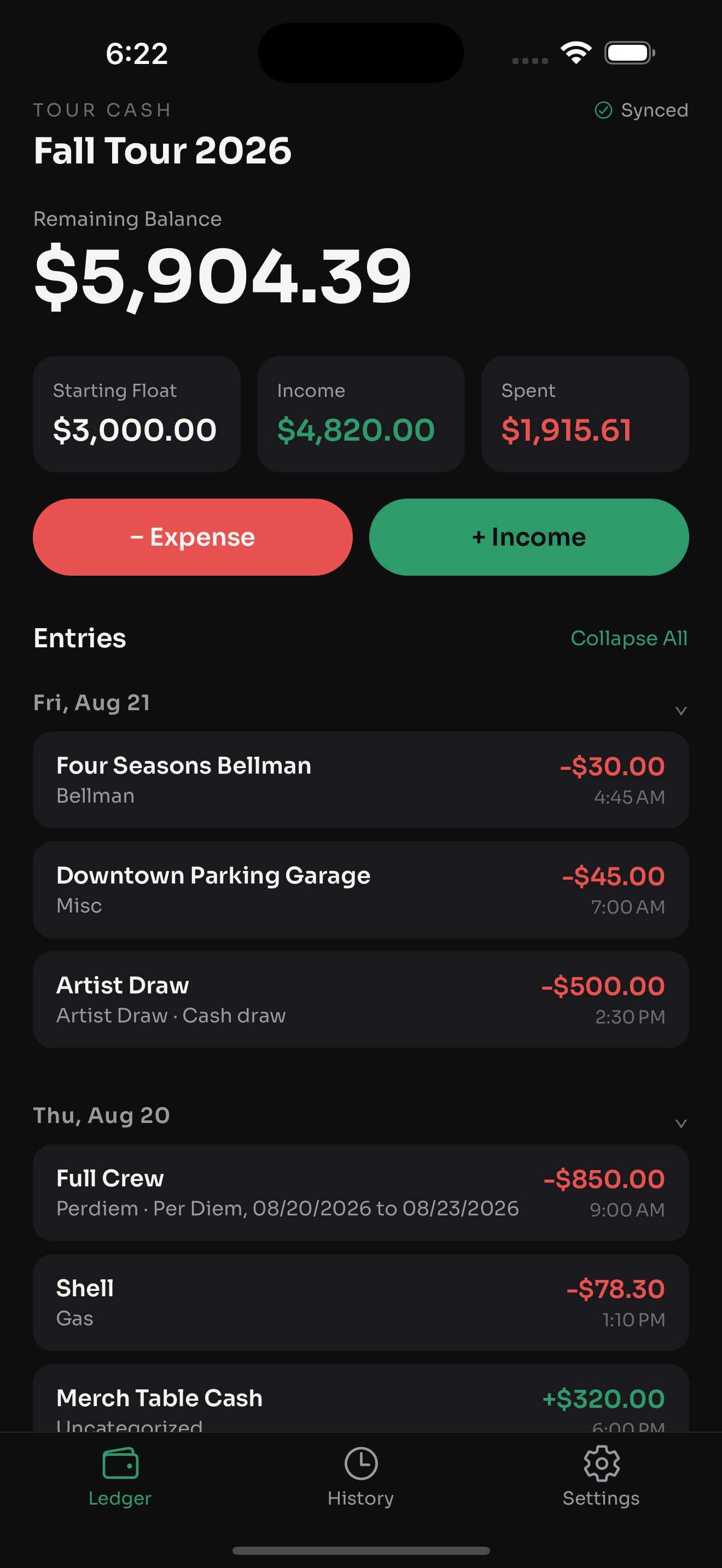
Keep track of the tour float. What came in, what went out, who's holding what, so it all balances at settlement. Included free with Tour Expense.
Balance at a glance.

Learn more ↓

Tour Payroll app icon
Coming soon
Tour Payroll
Approved reimbursements sync over from Tour Expense, so your band and crew get their non-taxable money in the same run as their pay. Mark a receipt Processed and the next sync skips it, so nobody gets paid twice.
Syncs with Tour Expense
Tour Expense app icon
● Live · App Store

Tour Expense

Paperless receipts, per diem, and business-manager-ready exports — now with multi-currency, custom categories, and email-in receipts.

Download on the App Store
See it in action

A receipt to a report in 30 seconds

Watch the whole flow — your crew submits, you approve in one tap, and the report comes out ready for your business manager.

0:35 · sound on
How it works

From receipt to report, zero paperwork

A receipt in someone's pocket turns into a clean report on your business manager's desk. No email threads, no spreadsheets.

1

Band & crew submit

Your band and crew install the free app once. No account, no login. Your link takes them straight to the submission screen, where they attach a photo of the receipt and the AI reads it automatically — vendor, amount, date, filled in for them. A quick check, hit send, done.

2

You approve

The moment a crew member submits, you get a push notification (if you've got them turned on) and it lands in your dashboard with the photo attached. One tap to approve it, deny it, or mark it as a company-card charge. The crew member gets an email either way.

3

You export

When the tour wraps, one button gives you a PDF with the receipts built in, or a CSV. It's named and formatted the way your business manager already expects.

4

Or skip the app, forward it

You send the tour's forwarding address out once, as a contact card. From then on, anyone on the crew can just forward a receipt photo or PDF straight to it — no app open, no login. The AI reads it and logs it automatically.

Features

Everything a tour needs

Every feature here came from a real problem on a real tour.

One-Tap Approval
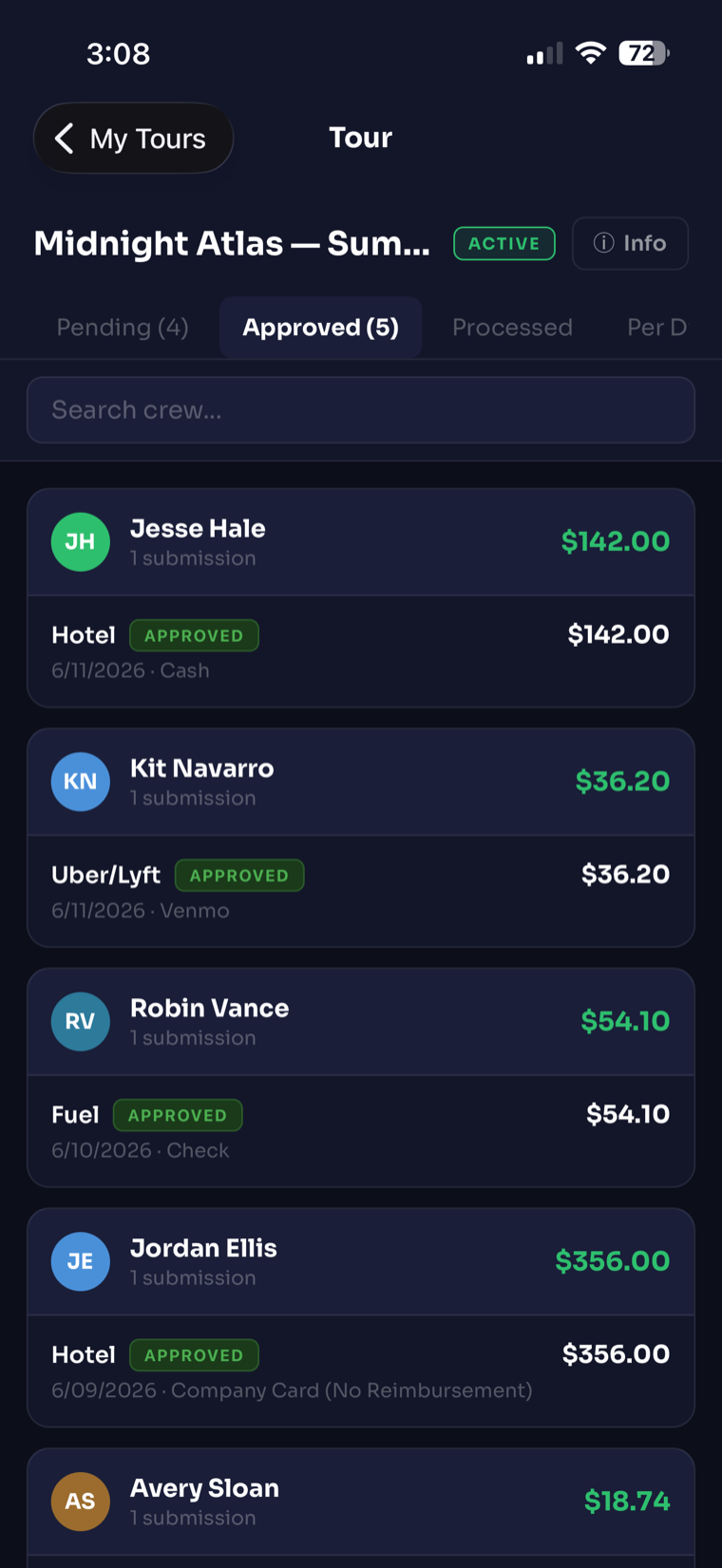
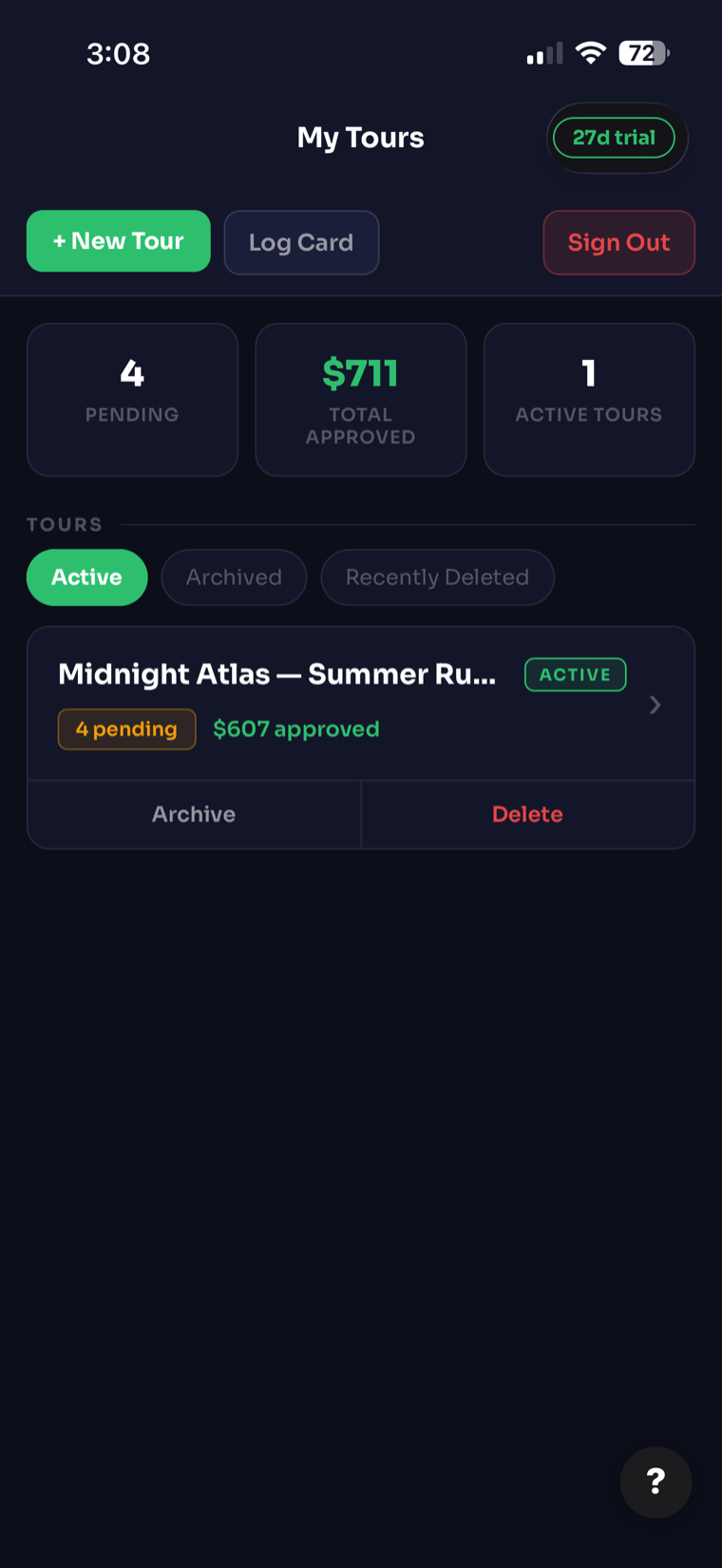
You see every receipt with the photo right there. Approve it, deny it with a reason, or log it as a company-card charge. The crew member hears back by email the moment you decide.
Instant notify
📋
Per Diem Tracking
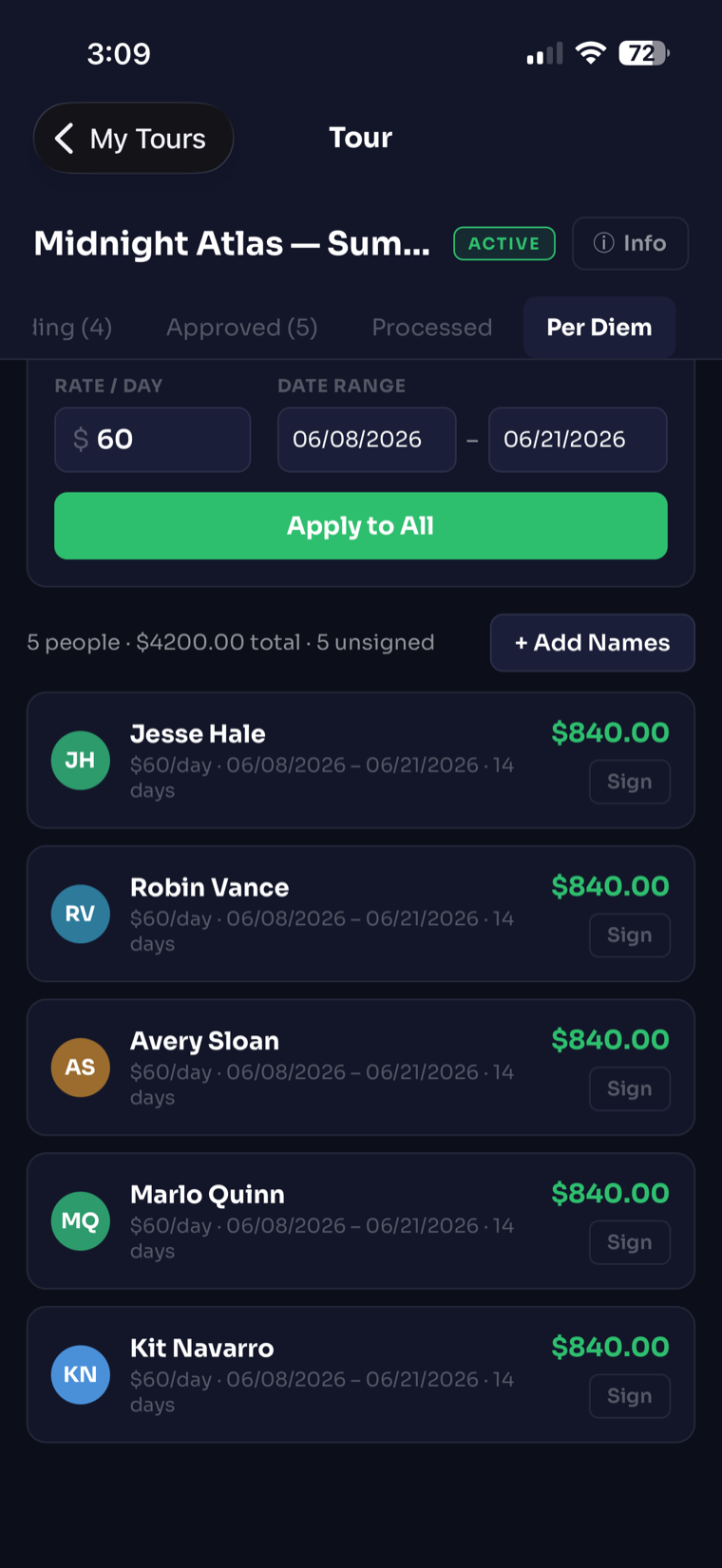
Set up your roster, enter daily rates and dates, and have each person sign for their per diem right on your phone. The totals add themselves up.
On-device signatures
📄
Business-Manager-Ready Exports
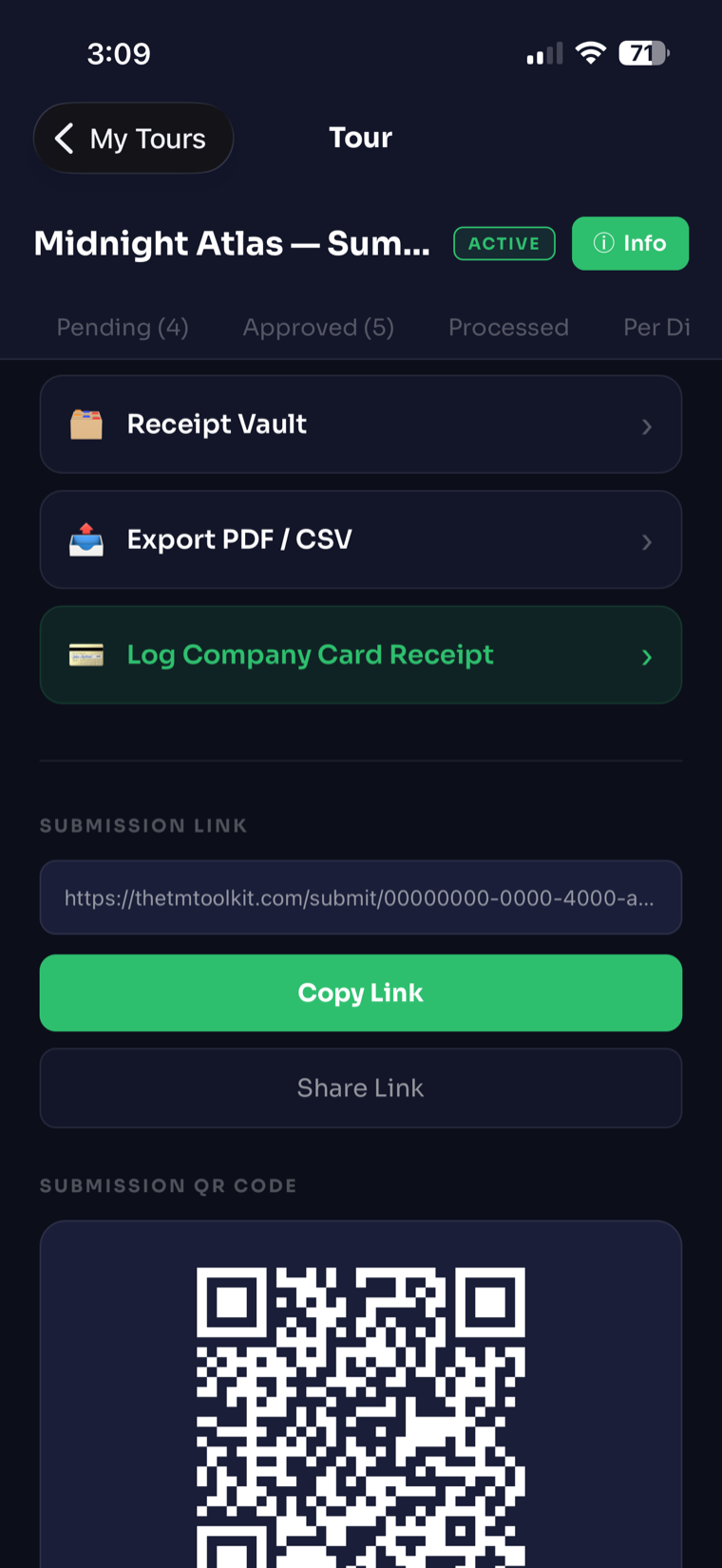
Pull a summary PDF, a full PDF with the receipt images included, or a CSV. Each one is named by tour and date range, formatted the way business managers actually want it.
PDF + CSV
💳
Company Card Logging
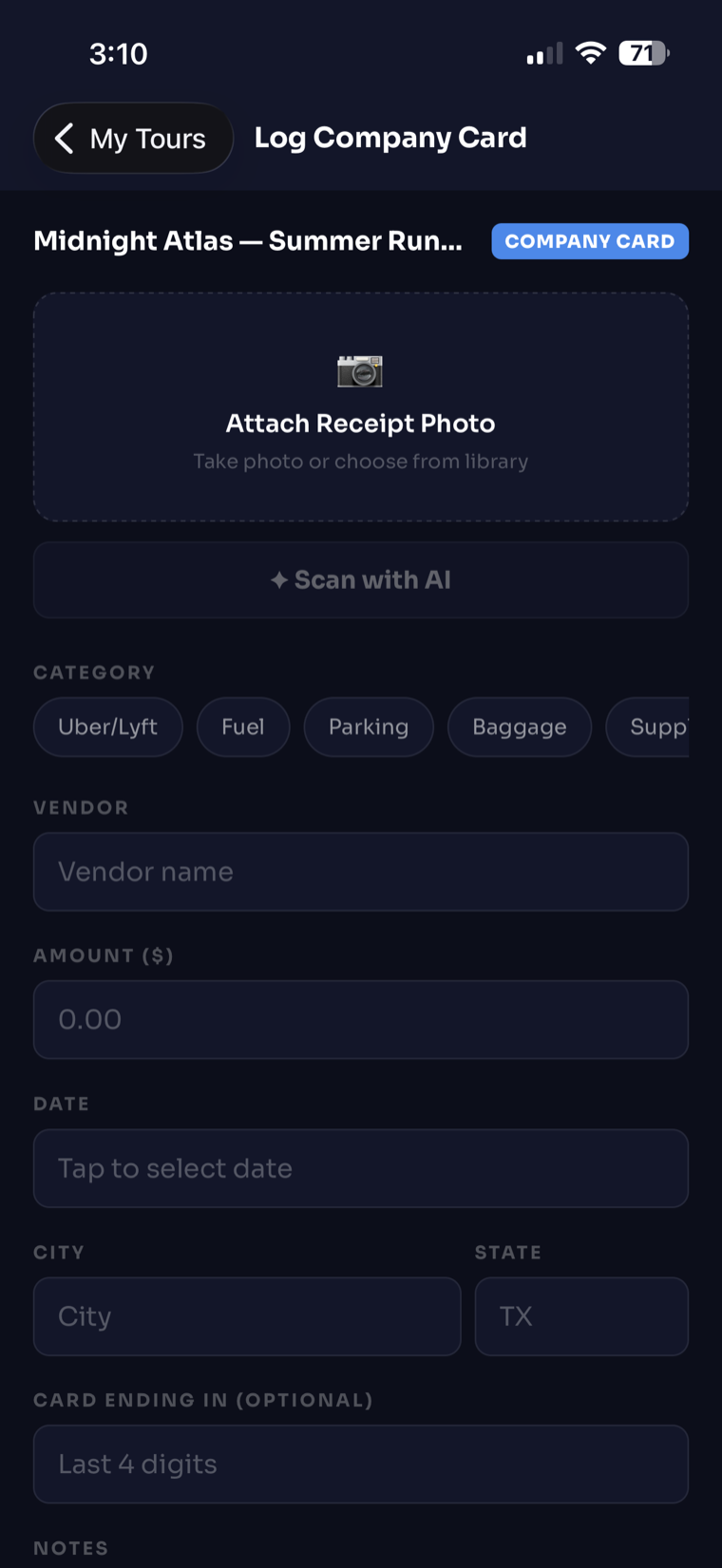
Log your own company-card receipts in seconds. Snap the photo, let it read the details, and your card charges stay separate from crew reimbursements.
Separate tracking
🔒
Private & Secure
Each tour's data is locked to your account. A crew link only shows what someone needs to submit, and you can shut it off the second the run is over.
Per-tour access
🌍
Multi-Currency
Set a tour's currency once and every receipt, per diem, and export follows it — Euros in Scotland, Yen in Japan, no manual conversion.
Per-tour currency
🏷️
Custom Categories
Add your own expense categories per tour. They show up everywhere a receipt is entered — crew form, Log Card, manual entry, AI Scan, and email-forwarded receipts.
Per-tour categories
📧
Email-In Receipts
Forward a receipt photo or PDF to your tour's own email address and it's read and logged automatically — no app open needed.
Forward & done
A look inside

Designed for the road

Dark, fast, and easy to run one-handed when you're on the move.

One-tap approvals list
One-tap approvals
Capture a receipt and scan it with AI
Scan with AI
Per diem roster with on-device signatures
Per diem & signatures
Export reports and share the crew link
Export & crew link
Tour Cash app icon
● Live · App Store

Tour Cash

Track the float from open to settlement — every dollar in, every dollar out, and who's holding what.

Download on the App Store
ℹ️

Included free with your Tour Expense subscription. Tour Cash isn't sold separately — sign in with the same account you already use for Tour Expense.

See it in action

Set the float, hand it out, reconcile it clean

Watch the whole flow — open the float, log the cash, hand a driver their own sub-float, and settle up at the end without a single handwritten envelope.

0:36 · sound on
1

Set the float

Start a tour with an opening balance, in whatever currency the run is in. That's your starting point for everything that follows.

2

Log every dollar

Snap a receipt and the AI reads it for you. Income and expenses land in one running ledger, balance updating as you go.

3

Hand out sub-floats

Give a driver or a runner their own cash allotment. They verify or dispute a top-up right from their phone — no app install, no login — and it all reconciles at settlement.

Features

Track the float accurately

Built from the same real problems as Tour Expense — this time, the cash in your pocket instead of the receipts in it.

Scan with AI
Snap a receipt and the AI fills in the vendor, the amount, and the category — the same fast capture Tour Expense uses, right inside the ledger.
Auto-fill
🔗
Crew Self-Verify
A driver or runner gets a link — no app install, no login — to check their balance and confirm or dispute a cash top-up right from their phone.
No login
📄
CSV/PDF Export + Import
Pull a CSV or a full PDF report — summary, detail, and category breakdown — any time. Import an old export to pick up right where a previous tour left off.
PDF + CSV
Reconcile at Settlement
Close out a sub-float at settlement and the low-balance warning clears itself, with any mislabeled entries sorted out automatically.
Settlement-ready
A look inside

The whole float, on your phone

The same dark, fast design as Tour Expense — built to run one-handed.

Tour Cash ledger with running balance
The Ledger
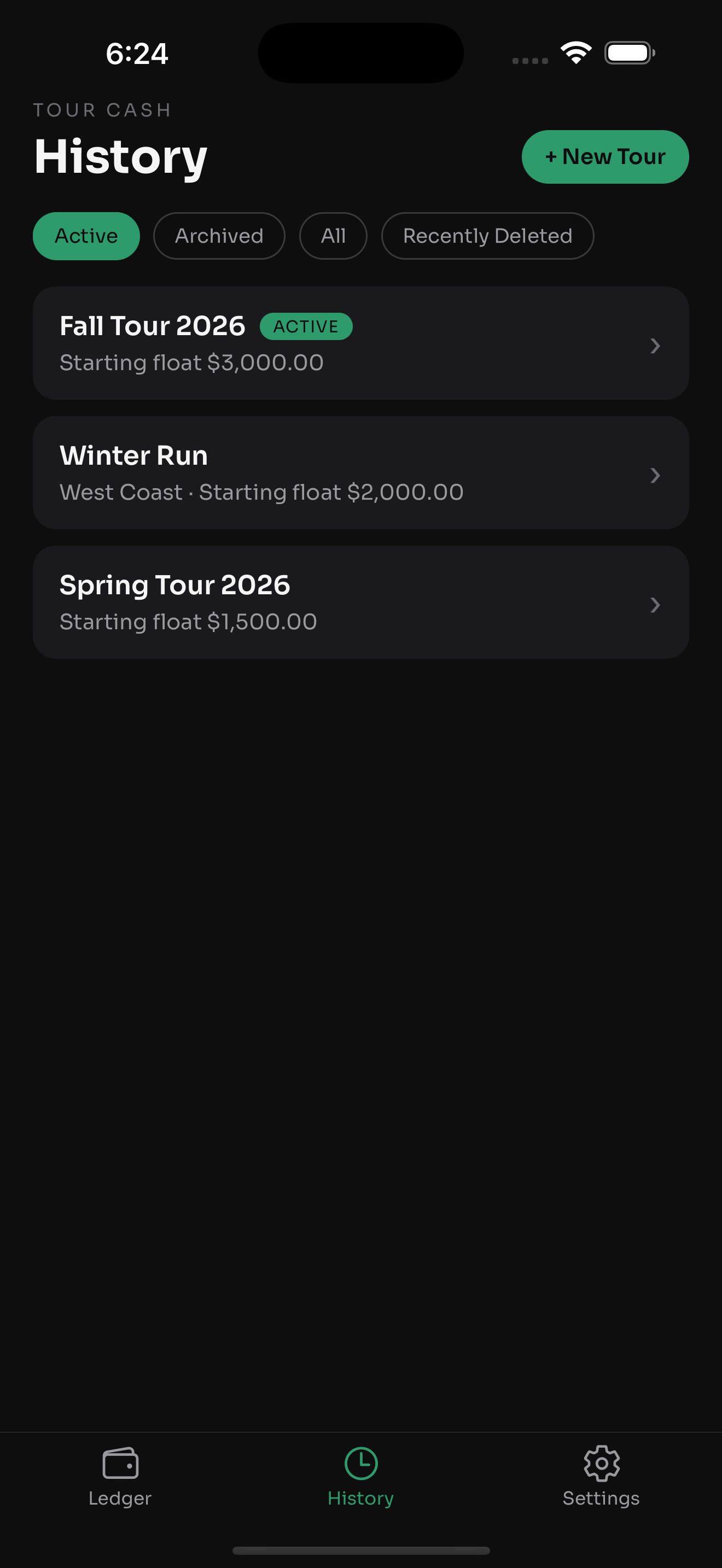
Tour Cash history across tours
History
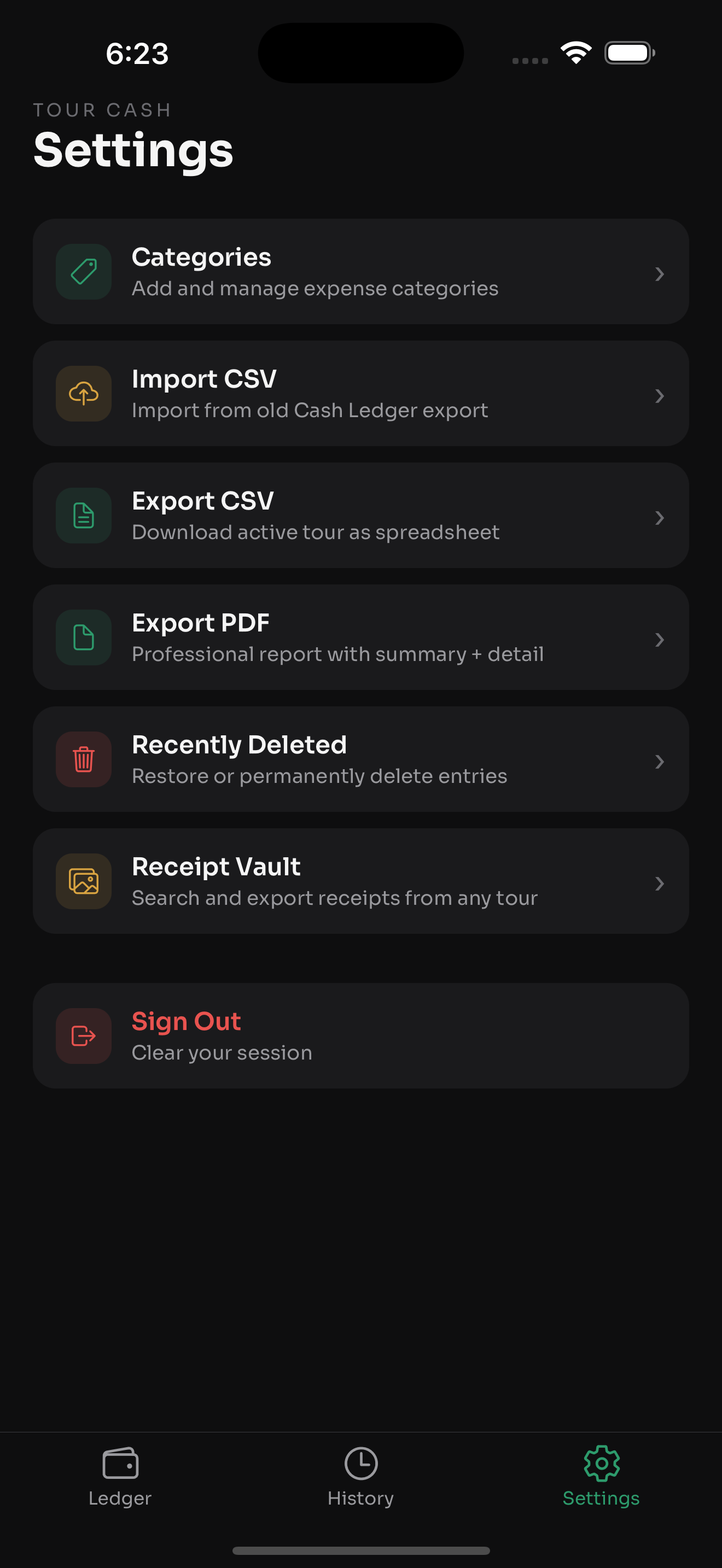
Tour Cash settings and categories
Settings & Categories
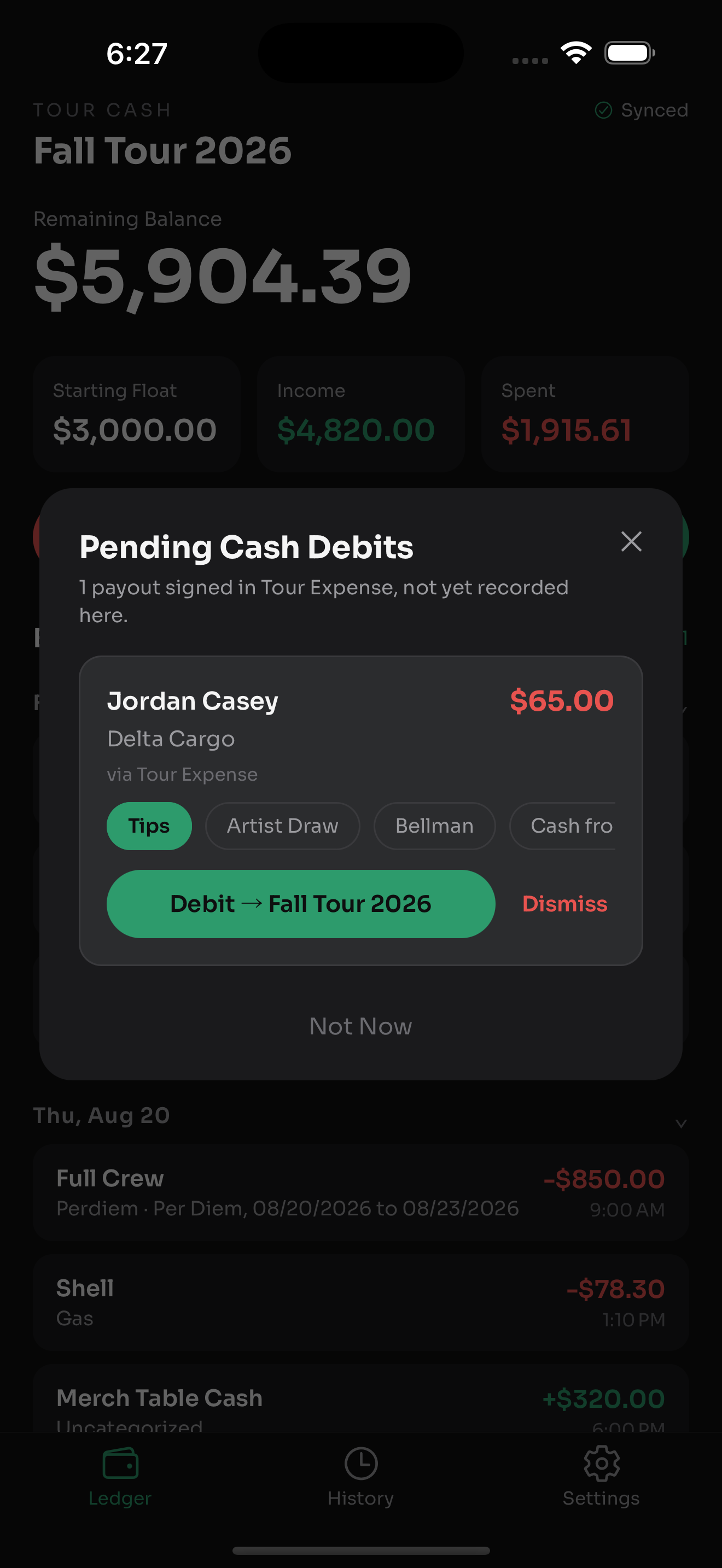
Tour Cash pending cash debits
Pending Debits
About

Why this exists

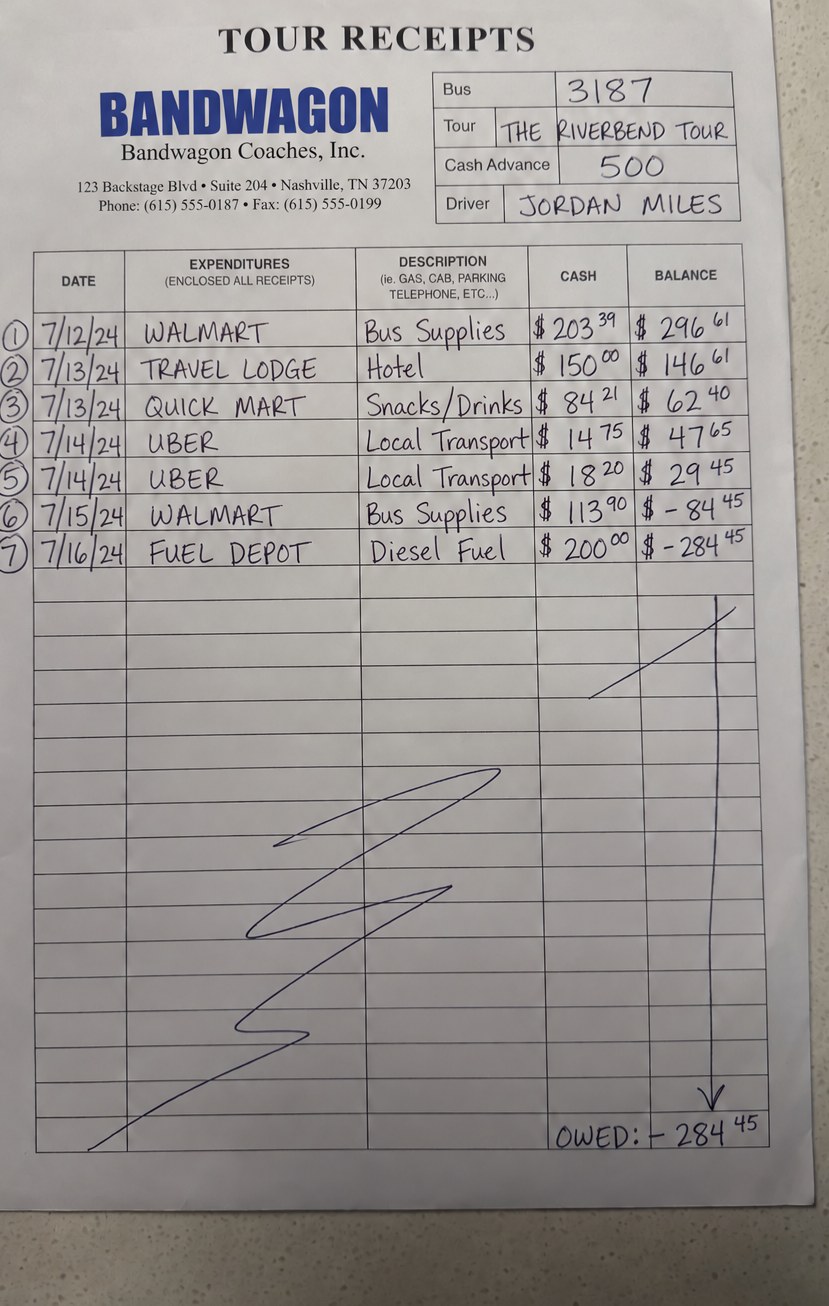
I'm a tour manager, and I've spent most of my adult life on the road. Dealing with tour money was always a pain — until now.

It was always a mess — a Ziploc bag stuffed with receipts, a float tracked on a handwritten sheet until it went negative, crew chasing me for their money, and a business manager waiting days for a report I'd piece together at 2 a.m. in a hotel room. I finally got sick of it and started building the tools I always wished I'd had.

It gives you peace of mind — log a receipt the moment it's in your hand, and know the float balances before you're standing at settlement finding out otherwise.

🎸
I'm currently doing this jobI built this for the gig I'm currently on, and thought it might help you too.
🛠️
Tools that workNo fluff — just a simple app your band and crew find easy to use, so you can log, approve, process, and keep track of every receipt.
📱
Built for the roadRuns entirely from your phone — venue to venue, day to day.
Get notified about new tools

Tour Expense and Tour Cash are live now. Tour Payroll is next — leave your email and I'll let you know the moment it ships. No spam, ever.